
To apply a coupon code to your order, please follow the step-by-step instructions provided below:
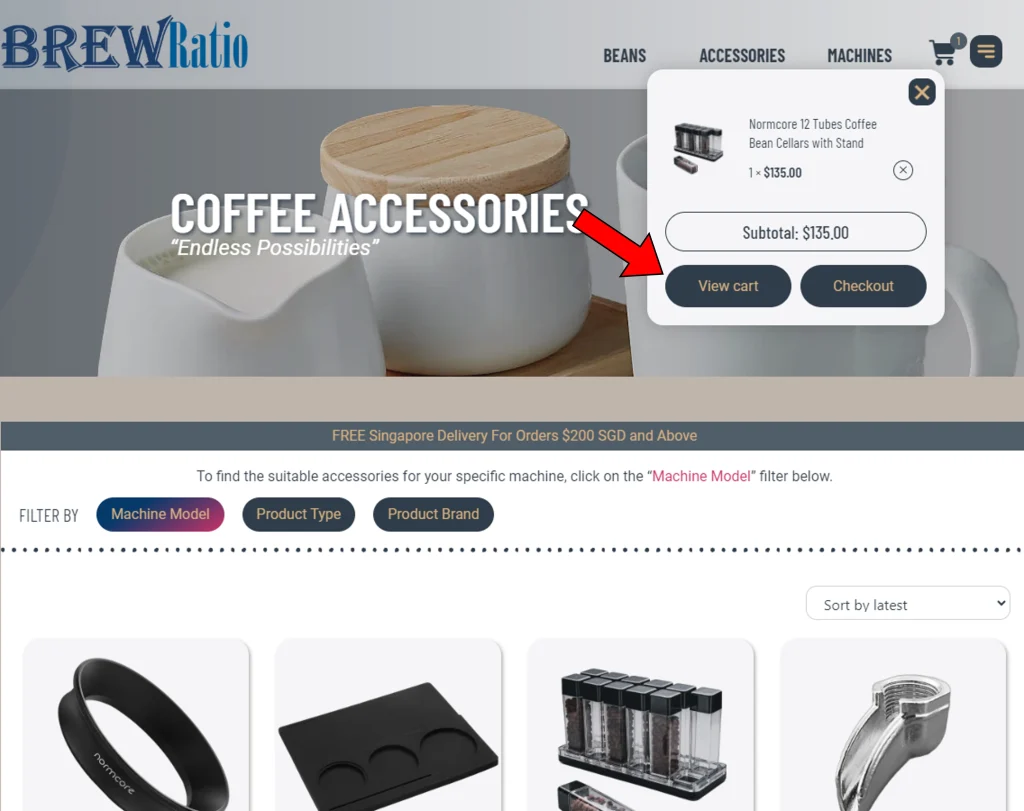
- After adding your desired items to your cart, locate the “CART” icon at the top right corner of the page. Click or hover over the icon to reveal a drop-down menu.
- From the drop-down menu, select “View cart” to be redirected to the “Shopping Cart” page. Here, you will find a summary of the items in your cart.
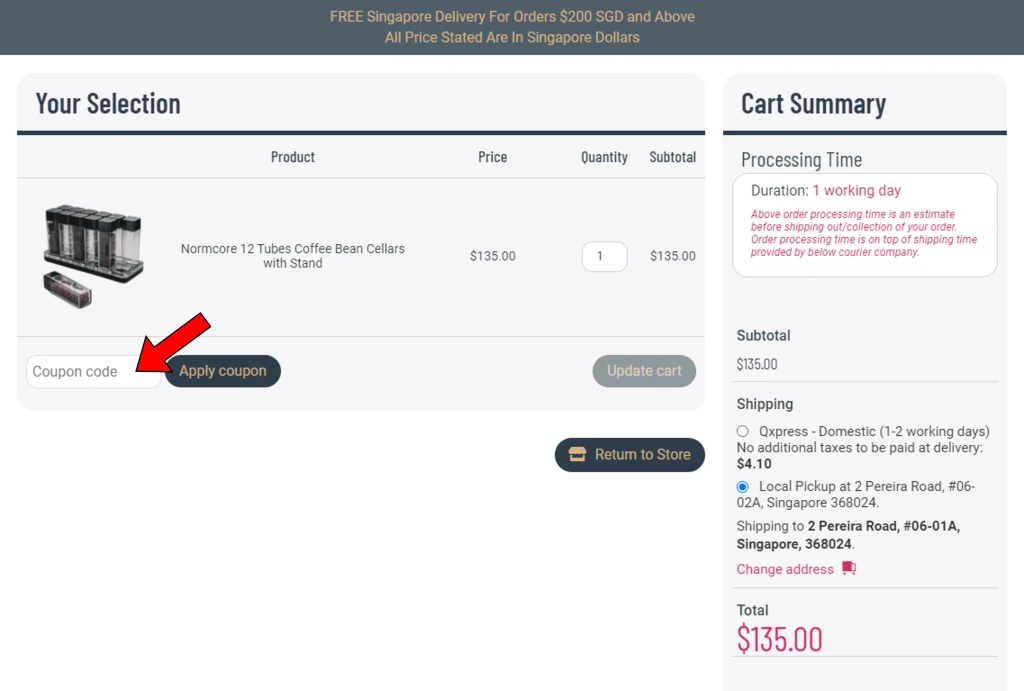
- On the “Shopping Cart” page, locate the coupon field where you can enter your coupon code. Type in the coupon code accurately.
- After entering the coupon code, click on the “Apply coupon” button. The system will validate the coupon and apply the discount if the code is valid.
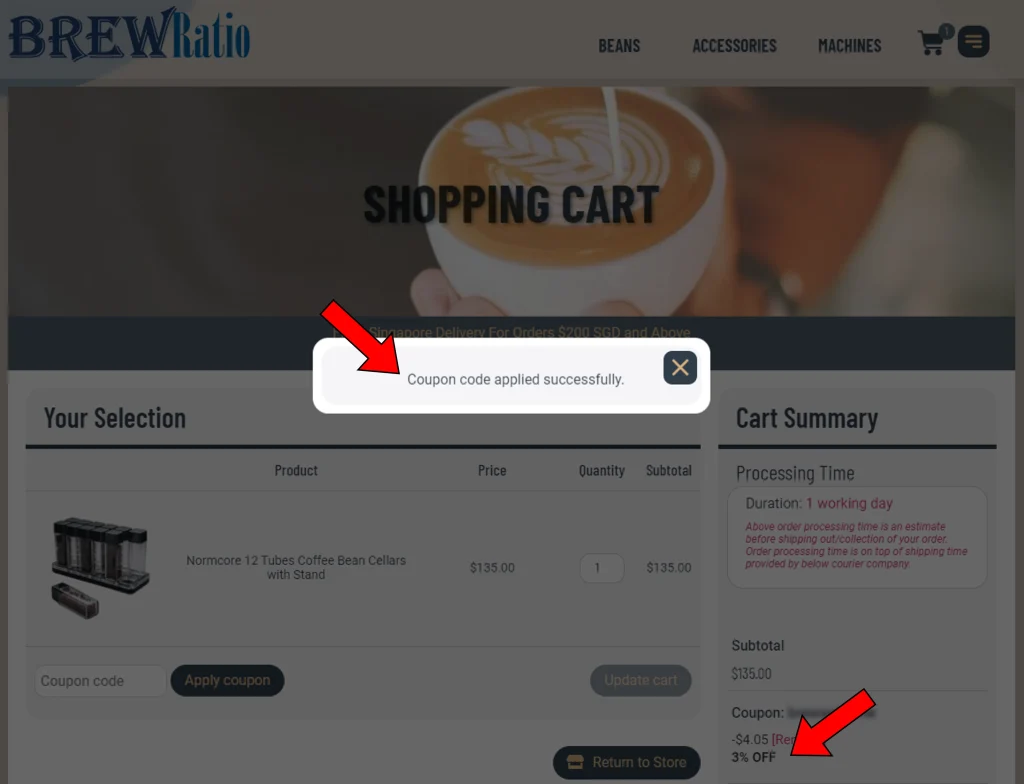
- If the coupon code is applied successfully, a pop-up notice will confirm the application, and you will see the coupon discount amount reflected in your cart summary.
- With the coupon successfully applied, you can proceed by clicking “Proceed to checkout” to complete your order and proceed with the payment process.
By following these steps, you can easily apply a coupon code to your order and enjoy the associated discount.

